English and maths today. Your subject is next! Write to us
Your teaching week in one place. You decide what students get.
For tutors and small schools: trial lessons, the schedule, homework, parents and payments. Your AI app (Claude, Antigravity…) drafts lessons, homework and feedback.
Free for up to 10 students · no card · your first student in 5 minutes
You open your school in our Telegram bot: on your phone, in Telegram Desktop or at web.telegram.org.
Sent only after your “Send”
A tutor's week, from the trial lesson to the payment
Everything around your lessons runs in one place. At every step your AI can do the preparing.
Before the lesson. Trial requests come to you, and the week runs on schedule.
- Trial lessonsShare your booking link. A guest answers your own questions and offers up to three times, each shown in their time zone; you confirm, suggest other times or decline.
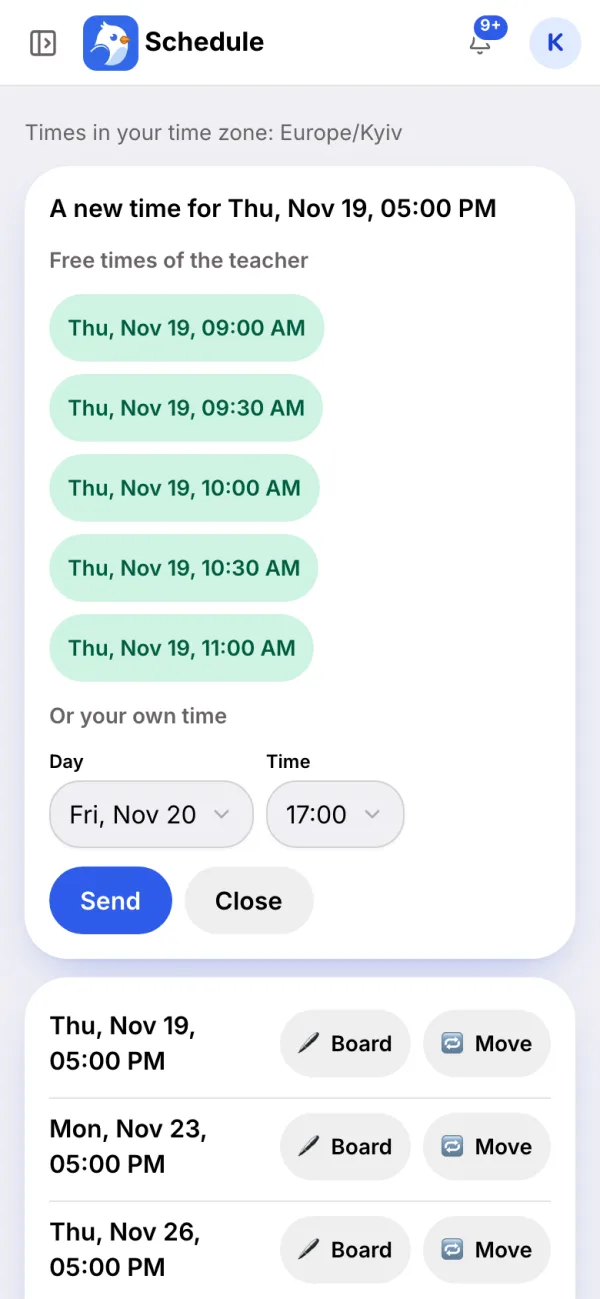
- The weekly scheduleRegular slots for every student and your working hours. When a student wants another time, they see your free ones.
- Moves both sides agree onYou or the student offers new times; the other side accepts or offers their own. Cancel a lesson or pause a student until a date, and they are told.
- RemindersTen minutes before, the student gets a reminder with your meeting link.
- Google CalendarYour lessons appear in your calendar, and your busy times stay out of the free slots.
Ask your AI: “Which trial requests are waiting? Offer Thursday after four.”

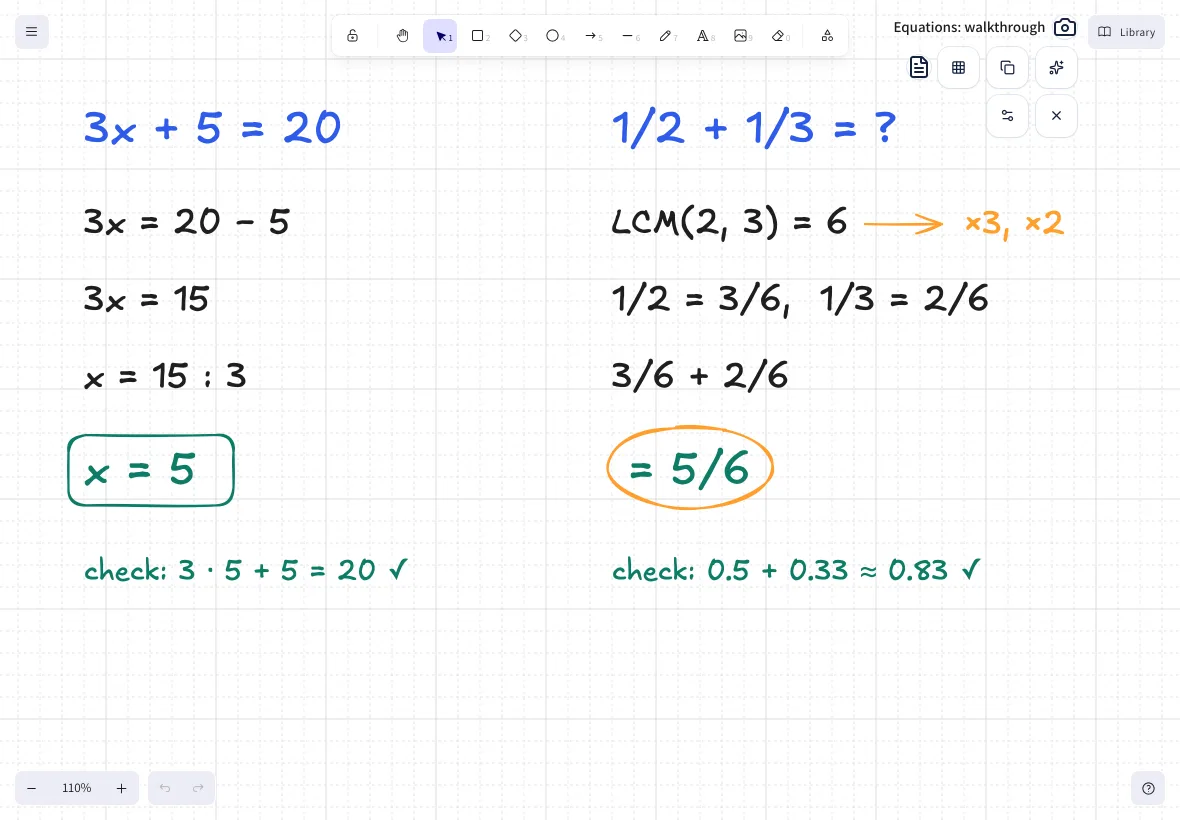
In the lesson. Write with a stylus. They see it at once.
A shared whiteboard for live lessons. Keep the call in Zoom or Meet; the board opens from the lesson reminder. Try it right here.
- Made for the tablet: the pen draws, your palm doesn't.
- Every lesson has its own board, kept after the lesson.
- Plain, squared or lined paper; photos and textbook or PDF pages on it.
- Students, their parents and your school's head can open it.
The board comes with Teacher and Pro, which open with billing.
- Speed roundUp to ten timed questions from the lesson. The student answers on their phone and sees the score, the time and any new record.
- AliasYour AI builds a deck of cards from your lessons; you run the game with your students, turn by turn, against the timer.
A demo on your device only: nothing is saved or sent.
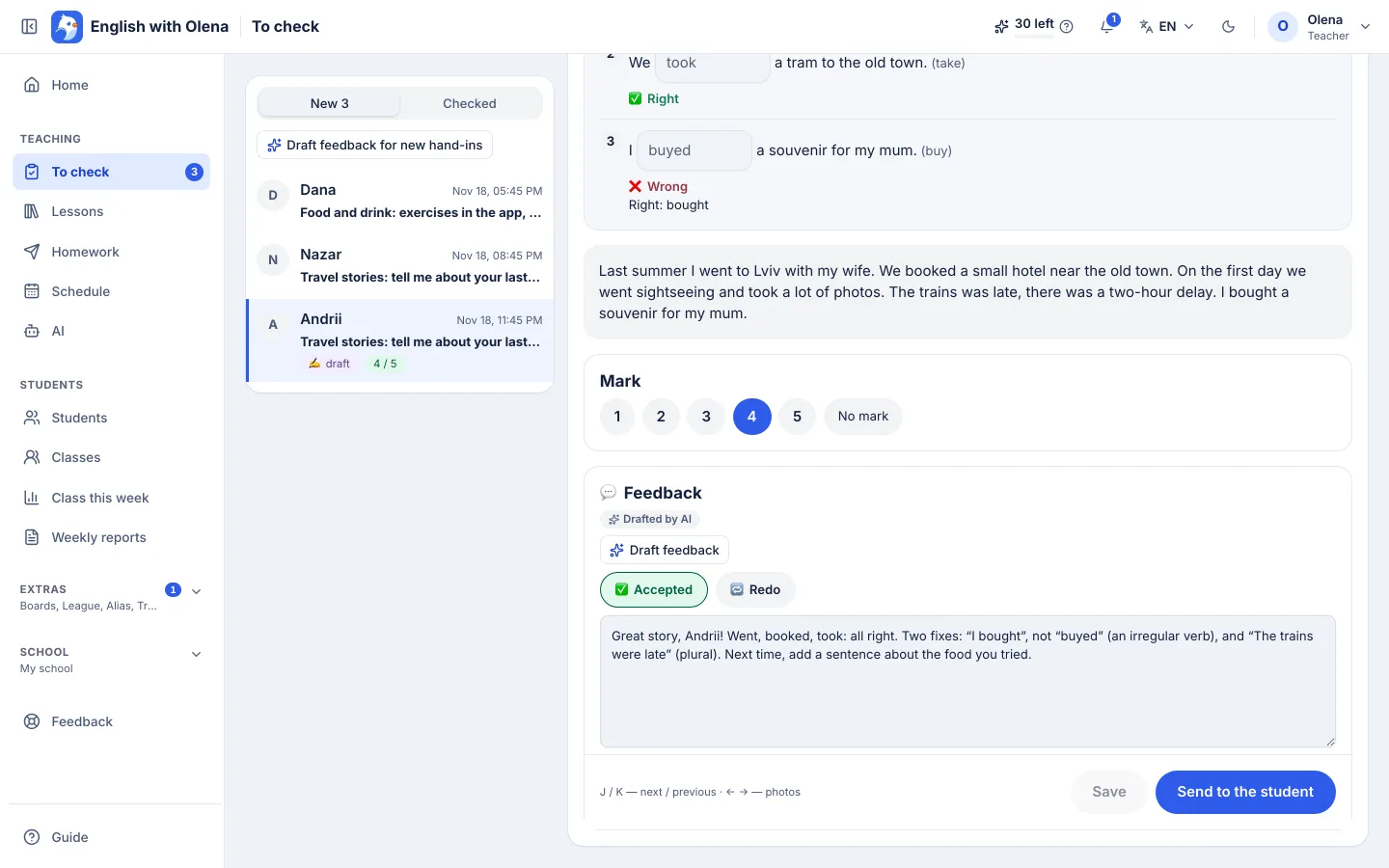
After the lesson. Homework checks itself; feedback waits for your yes.
- The lesson recapA summary, the lesson's words with audio and a short quiz, to the student and their parents.
- Homework that checks itselfTwelve kinds of exercise are checked in the app. A wrong answer shows which word is off without giving the answer away.
- Work from the bookPhotos of the notebook, voice messages and video notes come to you to grade.
- FeedbackYour AI drafts it; you edit it, set the mark and send. A child's parents get a copy.
- AttendancePresent, absent or excused for every group lesson.
Ask your AI: “Make homework from this textbook page” or “Check the hand-ins and draft feedback”.
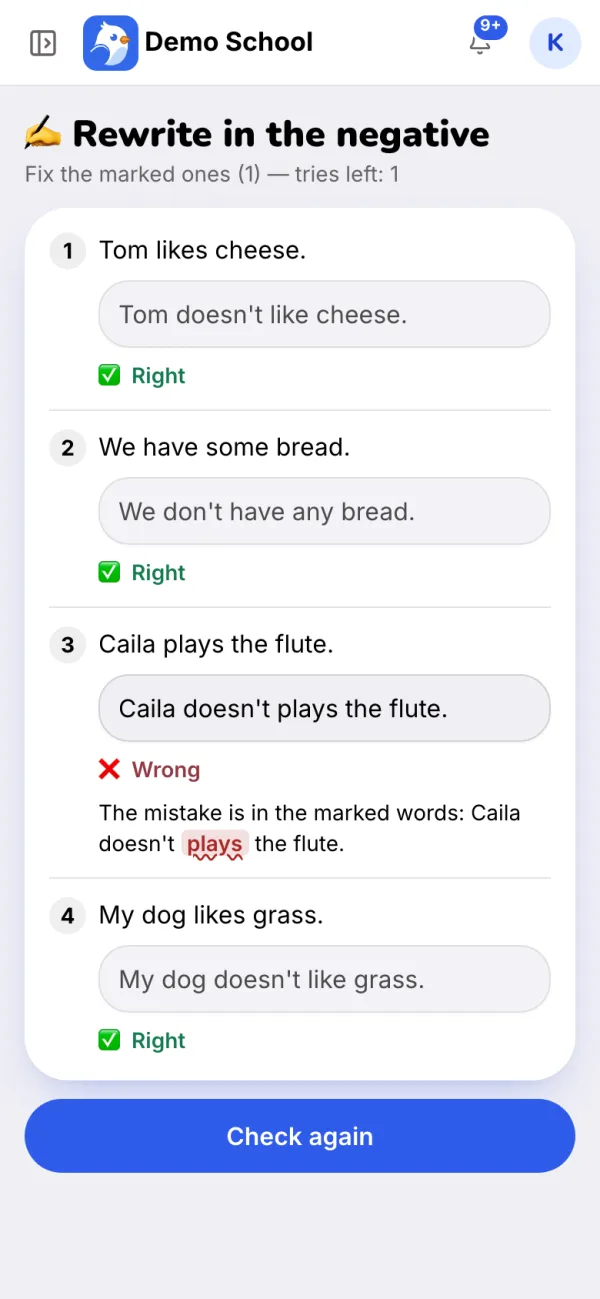
Between lessons. Practice keeps going, and parents see it.
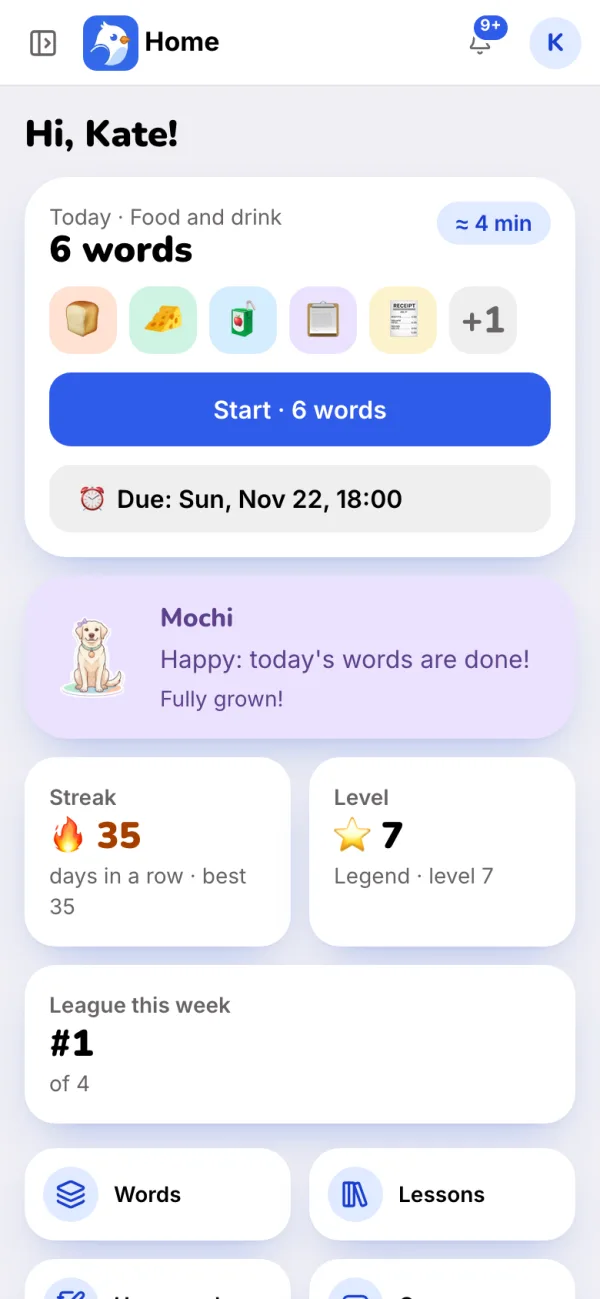
- Word reviewThe student's own lesson words with audio, a few new ones a day, spaced so they stick.
- GamesA word of the day made from their words, and crosswords.
- League, stickers and a petA weekly league under nicknames, stickers for effort and a pet that grows. Your AI can draw badges of your own.
- Weekly reportsEvery Sunday evening, in each parent's own language, with your note.
- MessagesStudents and parents write to you in the bot, and you reply right there.
- Kids without TelegramThey sign in to the app with a one-time code from a parent.
Ask your AI: “Who went quiet this week?” or “Draw a badge for finishing the unit.”
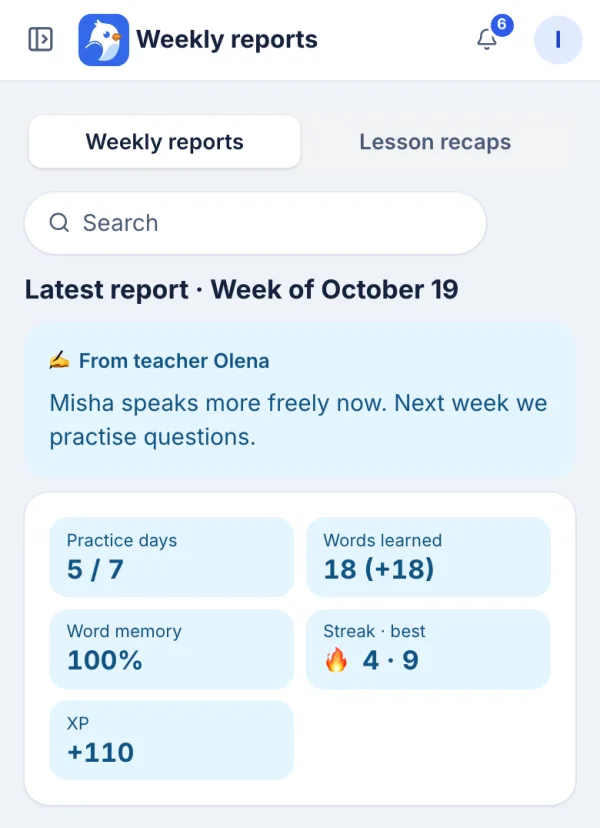
Money and school. You see who has paid, and the whole school in one view.
- Prices and paymentsSet each student's price and send a Pay button that opens your own payment page. They tap “I paid”, you mark it. The money goes straight to you; LessonWing never touches it.
- ClassesGroup lessons with one meeting link, homework for the whole class, attendance and a class league.
- The head's viewEvery teacher's lessons in one calendar, an overview by teacher, and invites for new teachers.
Ask your AI: “Who hasn't paid for November? Prepare the payment requests.”

A school that already teaches with it
[PLACEHOLDER: the teacher's quote]
- [PLACEHOLDER: label]
- [N]
- [PLACEHOLDER: label]
- [N]
- [PLACEHOLDER: label]
- [N]
Your school, your brand
Several teachers? Keep your own name, domain and bot; we set them up with you. Students sign in on your site and land straight in your school.
- Your logo, colours and mascot in the bot, the app and the reports
- Teachers under you, shared lessons, one league for the school
- Payments go to the school
 runs on LessonWing
Marketplace: courses from teachers, for teachers
Ready courses and lessons other teachers made in LessonWing and we reviewed. Get one into your dashboard as drafts, edit it, give it to your students. The most liked come first.
Your first student in 5 minutes
Step by step, with the screens: How to start. Your students' parents have a page of their own.
Sign in with Telegram
No passwords. You get your school, its bot and your dashboard at once.
Add your students
One invite link each, and one for a parent. Children without Telegram join with a parent's code.
Teach; the routine runs itself
Reminders, word review and weekly reports go out on their own. Lessons and homework go out when you approve them.
Simple prices
You pay for the students you teach. Connecting your own AI is free on every plan.
Only the Free plan is open for now: up to 10 students, with no time limit. Teacher and Pro open when billing does; the first 20 teachers who pay get −50% for 12 months (Teacher at $5, Pro at $10 a month) in return for a 30-minute interview about how it works for you.
Free
- Up to 10 students
- Bot, app, games, homework, reports
- Built-in AI: 20 points a month, about 10 drafts
Teacher Coming soon
- Up to 30 students
- Everything in Free
- The lesson board
- Built-in AI: 200 points a month, about 100 drafts
Pro Coming soon
- Up to 100 students
- Everything in Teacher
- Built-in AI: 500 points a month, about 250 drafts
Every plan has the rest: trial booking, the schedule, homework, games, reports, payment requests and classes. Yearly plans −20%.
Questions
Do my students need Telegram?
No. Telegram is the easiest way in, but everything also works in the browser and as an app on the phone. Children without Telegram sign in with a code from a parent.
Does the AI send anything to my students?
Never on its own. It prepares drafts; you check them and tap send.
Which AI can I use?
Your own Claude, Antigravity, Codex or another AI app that takes MCP connectors: LessonWing has an MCP server, the standard way these apps connect to other services. Its address is on the AI page of your dashboard: add it as a connector in your AI app, confirm the sign-in in Telegram, and it works in your dashboard. Your AI app is your own subscription; LessonWing charges nothing for it. Without one, use the built-in AI in your dashboard (Claude by Anthropic).
What is an AI point?
Points are only for the built-in AI. A point is one cent of what the AI really costs us: a question about your class takes under a point, a lesson or homework draft about 2 from a topic, a little more with several board pages (before you start, the draft page shows its estimate, rounded up), checking several hand-ins with feedback 2–4. Points are shared by the whole school and start again on the 1st. Your AI app spends none, and everything else works without them.
Can I teach groups?
Yes. Put your students into classes: give a lesson or homework to the whole class at once, set the class's lessons with one meeting link and one board, mark attendance, and let the class compete in its own league. Only you move a class lesson; you can ask the class which new time suits first. A student can be in several classes and still have lessons of their own.
Does the money go through LessonWing?
No. You add your own payment pages (a monobank jar, a bank link or any other), and the Pay button opens yours, so the money goes straight to you. The student taps “I paid” and you mark it received.
I teach maths or another subject. Is it for me?
Maths, yes: homework, the schedule, reports and the board work for any subject, with formulas in lessons and homework; the word games stay English-only. Your subject is next: write to us, and we will add it together with you.
What happens at the 11th student?
Your dashboard and your AI tell you plainly that the Free plan has no more room: delete a student you no longer teach to make room. Bigger plans are coming, and the first 20 teachers who pay get −50% on them for 12 months.
What about children's data?
We keep a first name without a surname and the birth year; in the league children see only nicknames. Children's contacts never go to the AI. No ads, the data is never sold, and it is deleted on request. More on the page for parents.
Take your first students under the wing.
Start free. Already teaching somewhere else? Write to us: we help you move your students over and set everything up, free.
Start in Telegram